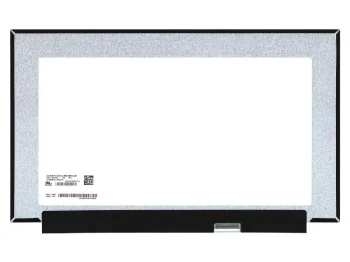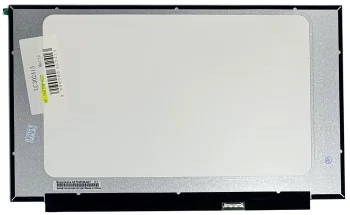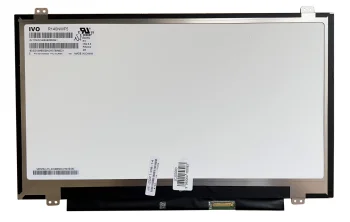
Laptop LCD Screens and Displays
Laptop LCD screens and displays include LG and BOE panels, Apple screen assemblies, and products from Extra Digital, AUO and Samsung. Options include IPS and OLED screens, with matte and glossy finishes. These replacement parts suit laptop screen repairs, with panel dimensions, resolution, connector layout and the required assembly type guiding the choice.
LCD screen assembly for Apple A2179 2020, 13.3", silver
LCD screen assembly for Apple A2289 2020, 13.3", space gray
LCD screen assembly for Apple A2338 2020, 13.3", silver
LCD screen assembly for Apple MacBook Air A2179 (2020), 13.3″, Space Gray
LCD Screen N173FGA-E34 17.3" 1600x900 HD+ Slim LED Matte 30-Pin
LCD Screen with Touch 11.6" FHD IPS N116HSE-EBC for Lenovo YOGA 710-11
LCD Touch Screen 14", FHD 1920x1080, IPS, Slim, 40 Pin, Matte (R140NWF5 RA)
LG 14.0" QHD LCD Screen for Laptop, IPS, Matte, 40pin
LG Philips LP156WH2 (TL) (C1) 15.6" HD matte LCD screen, 40-pin
LM140LF1F02 14.0" FHD IPS laptop screen, 144 Hz, matte
LP156WF6-SPD1 15.6" IPS laptop screen, matte FHD, 30-pin eDP
LP156WF6-SPK2 15.6" Full HD IPS laptop screen, 30-pin eDP
LP156WFD-SPK1 15.6" Full HD LCD touchscreen, 40-pin
LP156WHB-TPH1 15.6" matte LCD screen, 1366×768, 30-pin eDP
N133HCE-EBA 13.3" FHD IPS laptop screen, glossy, 30-pin
N140BGE-E33 14.0" HD matte laptop screen, eDP 30-pin
N173HGE-E11 17.3" Full HD matte LCD screen, 30-pin eDP
N173HGE-L21 17.3" Full HD glossy laptop LCD screen, 40-pin
N173HGE-L21 17.3" Full HD matte laptop LCD screen, 40-pin left
NE156FM-N27 15.6" FHD matte LCD screen, 30-pin right connector
Notebook Screen 14.1" 1280x800 WXGA, LED LCD Display, 40-Pin
R140NWF5 R1 14" FHD IPS matte touch screen, 40-pin
Samsung 15.6" FHD OLED Matte LCD Screen (30pin, 60Hz)
Laptop LCD screens and displays cover replacement panels and screen assemblies for laptop repairs. The range includes LG and BOE panels, Apple screen assemblies, and products from Extra Digital, AUO and Samsung. Product descriptions feature LCD, IPS, LED and OLED terminology, alongside matte or glossy finishes and different refresh rates.
How to choose laptop LCD screens and displays
Compare the exact laptop model and existing panel identification with the replacement part description. Matching the diagonal alone is not enough: resolution, connector pin count, connector position and panel construction also matter. Treat the refresh rate as part of the complete specification rather than an independent reason to choose a panel. A manufacturer's name helps narrow the options but does not establish compatibility.
- Dimensions and construction: Consider the screen diagonal together with the panel's physical design. SLIM identifies a thin panel construction but does not describe every fitting requirement.
- Resolution: Screen descriptions include FHD, QHD and WUXGA designations. Compare the stated pixel dimensions as well as the resolution label.
- Connector: Pin count and connector position are important replacement criteria. Check these details separately from screen size and panel technology.
- Finish and technology: Matte and glossy describe the screen surface. IPS and OLED identify panel technologies, so a surface finish and a technology label describe different characteristics.
- Panel or assembly: A separate replacement panel and a screen assembly can differ in what is included. Use the individual part description to establish the required repair component.
For a laptop used for work, study or gaming, start with the required replacement part type and then compare the technical details. This keeps the choice focused on the repair requirements rather than a brand name, diagonal measurement or refresh rate alone.
Frequently Asked Questions
Is the diagonal size enough to choose a laptop replacement screen?
A laptop screen's diagonal is only one selection criterion. Resolution, connector pin count, connector position and panel construction also need to match the repair requirements.
What is the difference between a laptop panel and a screen assembly?
A laptop panel is an individual display component, while a screen assembly may include additional parts. The individual screen assembly description determines what is included.
Does IPS mean the laptop screen is matte?
IPS describes a panel technology, while matte describes a surface finish. An IPS laptop screen can have a matte or glossy finish.
What are the most popular 2026 products in category - Laptop LCD Screens and Displays
- LP156WHB-TPH1 15.6" matte LCD screen, 1366×768, 30-pin eDP
- N156HCA-EAC 15.6" FHD matte LCD screen, 30-pin right connector
- LP156WF6-SPD1 15.6" IPS laptop screen, matte FHD, 30-pin eDP
- AUO B160QAN02.3 16.0" LCD Screen 2560x1600 240Hz IPS 40pin Matte
- LCD screen assembly for Apple MacBook Air M1 A2337 (2020), 13.3″, silver


Gudri pirkumi vienuviet